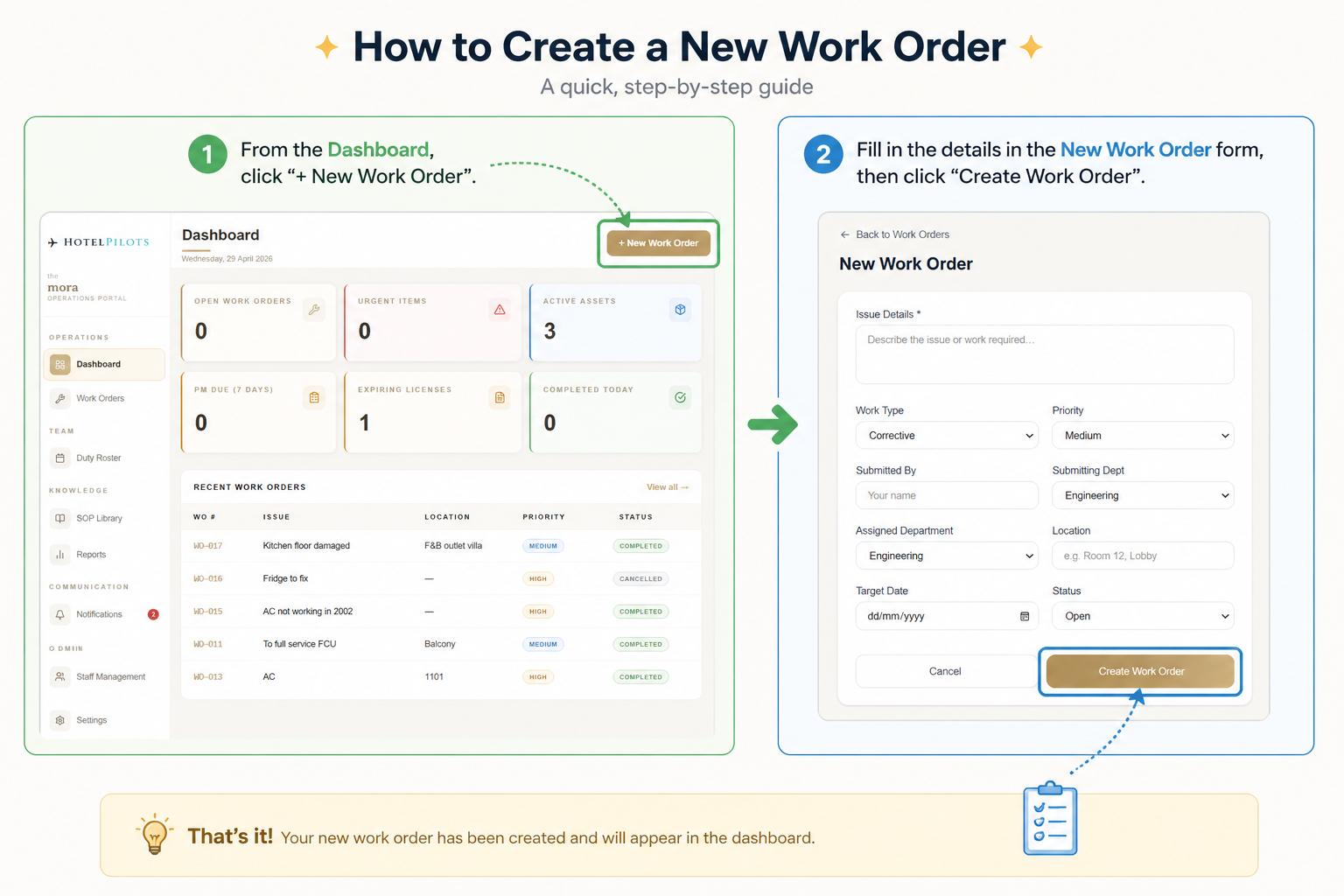
Hotel Operational Portal - Work Orders
Every job. Logged, assigned, and tracked.
The Work Orders module is the operational core of the Hotel Operational Portal. When something needs fixing, cleaning, or attending to - this is where it starts and where it ends. Every order is structured, assigned, and visible to the right people.
How it works
- 01
Describe the issue
Write exactly what needs to be done
- 02
Set the work type
Corrective or Preventive
- 03
Assign priority
Low, Medium, or Urgent
- 04
Select department
Engineering, Housekeeping, F&B, and more
- 05
Set location
Room number, lobby, back-of-house, anywhere
- 06
Set a target date
When it needs to be done by
- 07
Submit
The order is live and trackable immediately