Hotel Operational Portal - Staff Portal
Your team. Invited, assigned, and in control.
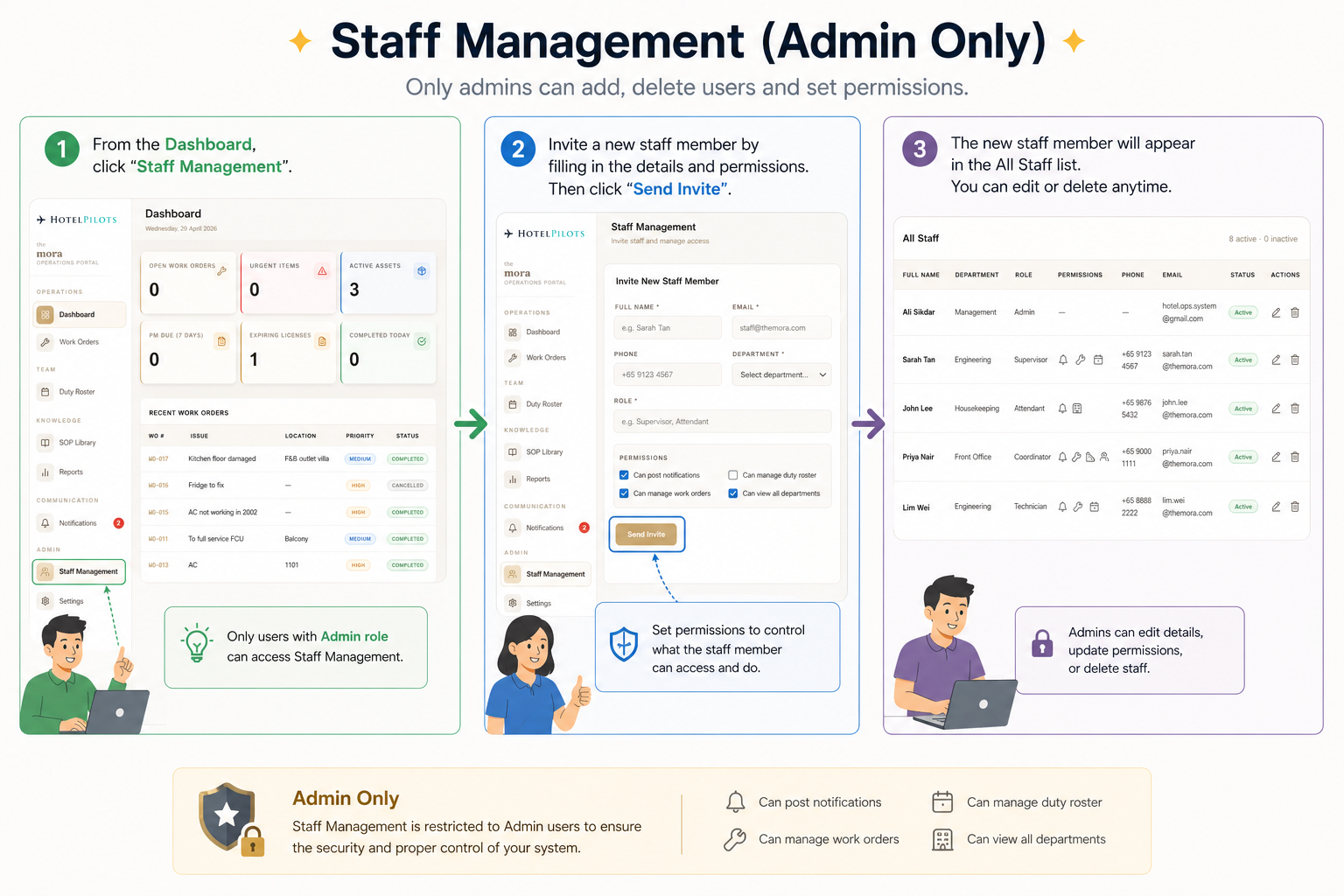
The Staff Portal gives the Admin full control over who is in the system and what they can do. Staff are invited by email - they set their own password and get access based on the permissions you assign. No one gets in without an invite. No one sees more than they should.
How it works
- 01
Go to Staff Management
Accessible by Admin only via the sidebar
- 02
Enter staff details
Full name, email, phone number
- 03
Select department
Engineering, Housekeeping, F&B, Management, and more
- 04
Set their role
Supervisor, Attendant, Technician, or any custom role
- 05
Assign permissions
Can post notifications, manage work orders, manage duty roster, view all departments
- 06
Send invite
System emails the staff member to set their own password
- 07
Staff goes live
They appear in the All Staff list as Active immediately